

EV Public Charging
EV drivers can pull up, plug in and power up at some of the fastest chargers available. Through our EV Public Charging program, our Level 3 chargers—also known as DC fast chargers—are available for public use. Information on rates and availability can be found below. It’s a quick and convenient way to top off your battery and get back on the road.
Where You Can Charge
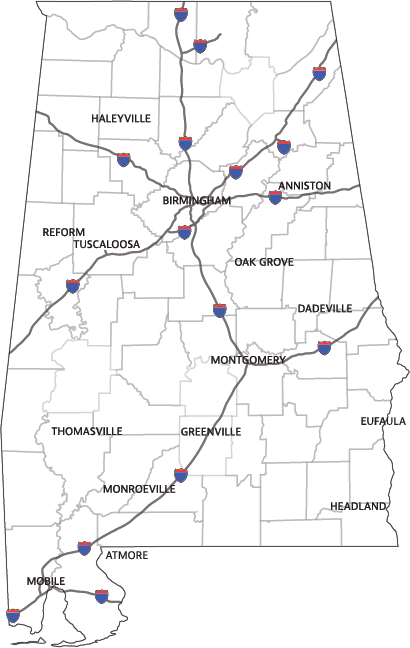
We have 31 charging ports across 16 locations at our business offices and other sites across the state, and most are open 24/7. You’ll find chargers in areas like Birmingham, Mobile and Montgomery, as well as in communities that don’t have as many options yet.
All locations are featured on EV charging station maps, like PlugShare, making it easy for you to find them whenever you need a charge.
Click the button below to find the most up-to-date details on each location, including current rates and charger availability.
Frequently Asked Questions
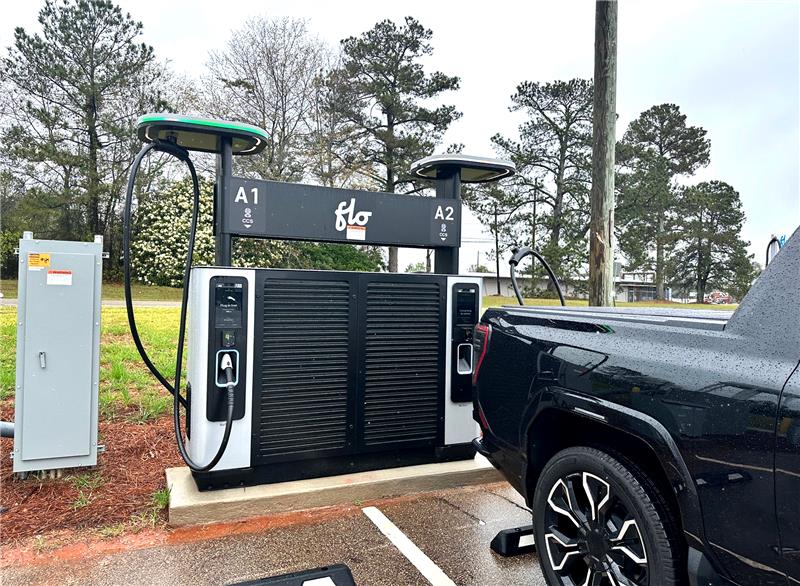
This FAQ helps you get started with the Flo Ultra DC Fast Charger, understand what’s normal during charging and troubleshoot common issues. These Level 3 chargers are designed for quick stops to help you get back on the road faster. Explore the FAQs below.
How do I start charging?
Option 1: Use the Flo Mobile App
- Download the Flo mobile app
- Create an account or sign in
- Plug the charger into your vehicle first
- Select the charger in the app and start the session
Option 2: Pay with a Credit Card
- Plug the charger into your vehicle
- Tap or insert your credit card on the charger
- Follow the on-screen instructions
Tip: If charging doesn’t start right away, unplug, wait about 10 seconds, and try again.
What is pricing and how does billing work?
- Charging costs $0.42 per kWh (as of April 2026, subject to change)
- You are billed based on energy delivered, not time plugged in
- Charging speed may slow down as your battery fills — this is normal
- Your bank may show a temporary pending charge before the final amount posts
What is the connector type and what vehicles are compatible?
- This charger uses a CCS connector
- Most non-Tesla electric vehicles in the U.S. are compatible
Why won’t my Tesla charge?
- Tesla vehicles must use the OEM’s provided adapter
- The adapter must be fully and securely seated
- Some vehicles may need a software update to enable CCS charging
If your Tesla is not CCS-enabled or the adapter is not detected, charging will not start.
What can I expect while charging?
These are all normal behaviors:
- Charging power increases, then gradually slows
- The session may stop automatically when your battery is nearly full
- You may hear fans or clicking sounds from the charger
Courtesy reminders while charging:
- Please move your vehicle once charging is complete
- This charger is intended for active charging only
Restrooms or trash cans may be available during business hours, if applicable.
What can I do if charging does not start or stops unexpectedly?
Unplug the connector from your vehicle
- Wait 10–15 seconds
- Plug it back in firmly
- Restart the session (app or credit card)
- If using an adapter, remove and reseat it carefully
If the issue continues, contact Flo Customer Support using the phone number displayed on the charger.
How do I find this charger again?
You can locate this charger using:
- The Flo mobile app
- PlugShare and other popular charging maps
How do I get more help?
- Call the support number shown on the charger screen
- Follow any on-screen or app prompts for help


